

Tutorial Resources
What is a tutor?
‘Tutor’ is a broad and inclusive term that may refer to teaching assistants, demonstrators, lecturers, professorial staff, and other academics that teach small-class room environments. Tutors lead tutorials, workshops, practical and laboratory sessions, fieldworks, study session, and other smaller group teaching and learning contexts. Tutorials are an important part of the Common Core course experience and an opportunity to develop students’ critical thinking, communication, and collaboration skills.
Our resource hub contains information designed to support tutors in conducting small group tutorial sessions for Common Core courses. The information is generously provided by our community of teachers and advisors. Whether face-to-face or online, tutorials are a critical opportunity to work closely with students and understand their progress in learning. We have included some useful teaching tips, tools, and case studies of best practices to help you effectively plan and conduct your tutorials.
Responsibilities of tutors
If you are new to tutoring at the Common Core, it’s important to understand the expectations of your role and responsibilities.
- Prepare and deliver/facilitate small-classroom tutorial sessions
- Work closely with course coordinators and course teachers (including managing Moodle, assessments, grading and feedback)
- Communicate expectations of the course to students
- Encourage students to participate in class
- Respond to students’ questions and concerns in a timely manner
- Support students in developing skills for assignments tasks (e.g. written, oral, visual, and digital literacies)
- Other course-related tasks as assigned by the course coordinator
This video is a sharing by Common Core teachers, many of whom are past tutors. Listen to what they expect their tutors to do.
tutorial preparation
Tutorials should not be delivered like a lecture (or simply repeating the content of the lecture). Tutors should facilitate dialogue/ discussions, peer-to-peer interaction, and active learning activities that builds upon and reinforces the lecture content and learning outcomes.
Planning and preparation for teaching your tutorial is essential.

A lesson plan for each tutorial class will provide you with a better sense of the structure and flow. Even experienced tutors and teachers rely on lesson plans.
Your course may have an existing lesson plan created by past teachers/ tutors. Check with your course coordinator or fellow peers.
If no lesson plan exists, you should consider writing one. The plan may include:
- The lesson’s learning objectives/ outcomes
- What we will be doing and who will be doing what
- The mode of interaction (e.g. student-to-student, student-to-teacher etc.)
- The approximate timing of each activity
- Debriefing or discussion questions to stimulate conversation and participation.
- Purpose of each activity/ Key points you want to convey
It may help to limit your content to 2 – 3 main concepts for a usual 50-minute session.
Regularly discuss the course syllabus, assessment and assignment feedback with your course coordinator, teachers, and other tutors (if applicable).
Sample Online Tutorial Lesson Plan (By Tanya Kempston, Principal Lecturer, Faculty of Education)
- Discussion and dialogue: Pose questions, discussion topics, and debate activities that encourage students to express their ideas and opinions.
- Problem-solving: Introduce problems or case studies to develop problem-solving and reasoning skills.
- Peer-to-peer interaction: Assign activities that require students to work together with other students to build collaboration skills.
- Reporting back: Ask students to present or report back after an activity.
- Revision: Run a short activity or quiz to check students’ understanding or refresh their memories. For example, use Classroom Assessment Techniques (CATs) as non-graded, in-class activities to understand the teaching-learning process as it is happening.
- Q&A: Give students opportunities to ask questions.
- Hands-on learning: Engaging students in hands-on activities to improve retention and relevance. For example, roleplaying, art-based activities, playing games, testing software.
- You may want to use handouts or slides to help students to follow along.
- The use of pictures/ images, diagrams, videos, or interactive visuals can improve student engagement.
- Be sure to test your equipment or software if you are showing a video or performing a demonstration.
Send the students a welcome message (via Email or Moodle) before the tutorial class. You may use your first communication to explain:
- The topic of the upcoming class
- Outline the lesson plan
- Assign pre-class readings
- Communicate your expectations such as attendance and (graded and ungraded) assignments
- Instructions for forming groups
- How to sign-up for tutorials
Setting pre-class homework may build students’ confidence to speak up in class and prime them for the engagement.
For example, you may assign a reading, a video to watch, or for them to engage in a short exercise. Let them know that you will ask questions about related to the activity.
Delivering your tutorials
Here are some best practices for delivering your tutorials.
- Communicate your intentions to students and let them know that you are trying your best to set them up for success within the course.
- Demand hard work but give them a healthy amount of guidance so that they can achieve the desired level of output.
- Enforce a reasonable standard of behaviour. Communicate clear ground rules in your first tutorial session. For example, expectations around participation, mobile phones use, punctuality etc.
Hold the students’ “feet to the fire” in tutorials. They must feel some pressure to get the basic concepts from the lecture and not show up to the tutorial as a totally blank slate.
- Help students socialise with other students. If a student is feeling isolated during a supposedly collaborative activity, prompt the other students to get them involved.
- Use different techniques to create an atmosphere where students are receptive to information, thinking, participation, and conversation. For example, ask open-ended questions, use different ways of visualisation, build models, and gamify learning activities.
Icebreakers are games or activities designed to warm up the conversation among students in class. Icebreakers help to build trust and may help students and teachers to know each other, aid in group dynamics, direct students’ emotional state (playfulness, laughter), or inject energy when the mood is down. Activities should be non-threatening and relaxing exercises.
You can search for ideas of icebreaker online or ask LLMs for ideas tailored to your classroom context!
Each student says three statements about themselves. Two of these statements are facts or truths, one must be a lie. The other students try to guess which one is the lie.
Students describe what kind of superpower they would like to have and how they could use this superpower to benefit the world.
Have students arrange the pictures or slides in the order they appear in the lectures.
Students take a poll responding to a question.
Consider using digital technology during your delivery to improve engagement and make participation inclusive.
Here are a few widely used applications:
- Mentimeter: Interactive slides that allow live polling, dynamic word clouds, short form responses, timed quizzes, and other functions. All HKU staff have access to the institutional account (via SSO as “hku” -> login with HKU email).
- Padlet: Digital bulletin board for students to share, comment, and reflect. Supports text, images, gifs, video, and URLs.
- Miro: A versatile digital white board for collaborative brainstorming and activities (Free education plan).
Beginnings are so important – especially in the first few weeks when you (and they!) don’t know each other. You want to establish the right expectations and dynamics.
- What’s in it for them? Communicate to your students why tutorials are important for them. Why should they participate and how will they be assessed?
- Plagiarism policy: This is an opportune time to remind students of the university’s stance towards plagiarism and to discourage this behaviour.
- Layout the ground rules: Tell your students how you expect them to behave in class and how tutorials will be run.
Give specific instructions to your students before you send them off to complete activities.
- What do you expect the students to do exactly?
- What should they come back with? (E.g. Ask students to come back with 3 points from the group discussion)
- How long do they have?
- Ask the students if they have any questions to confirm their understanding of the instructions.
Speak less so tutorials do not become a monologue. Ask more questions to enable opportunities for students to speak up and participate.
Explicitly remind students that you expect them to participate and are free to comment and ask questions.
- Icebreakers and Energisers to inject energy into your class and ease students into participation.
- Mentimeter, Padlet or Kahoot (to recap ideas/facts or summarise a topic)
- Take a short break!
You may consider assigning roles and responsibilities to your students in class. Students may be designated or nominated as the presenter, scribe, or team leader, depending on the activity.
Dr Tanya Kempston, Faculty of Education, assigns the following roles to facilitate dynamic online Zoom tutorials:
- Chat provocateurs: students that pose relevant questions to the group if the chat thread goes silent for too long.
- Breakers: students who break audio silence that can sometimes happen when open-ended questions are asked
- Catchers: students who send key points to classmates who might temporarily dropout of the online class (or if WiFi falters)
- Teacher talk timekeeper: students who give teachers the heads-up on chat if they talk more than 5 minutes at a time so the session does not turn into a monologue.
- Sweepers: students who share the Zoom recording and chat with the whole class shortly after the session concludes.
It’s helpful to summarise the learnings from the class at the end of the tutorial session.
- Recap 2- 3 key points
- Link this to the course assessment
- Provide further resources for self-study, if applicable
- Encourage students to continue participating in future sessions
If you are teaching online, check out these video resources from experienced teachers:
For teachers, you may want to reflect on what went well (keep doing), what didn’t go so well (stop doing), and what could be better (room for improvement).
Assessments
Tutors should adequately explain assessments and the grading criteria to students (if not already discussed in lectures).
Depending on your course coordinators, tutors may be expected to grade student assessments and give feedback.
Assessments can be setup on Moodle LMS to enable students to make online submissions, unless the assessment is completed synchronously and in-person such as sit-in exams or live presentations.
The following Moodle functions are generally used for assessments:

Common Core encourages courses to experiment with creative assessments for students to develop their creativity, collaboration, and communication competencies.
Examples:
Grading should be completed as quickly as possible, with sufficient and relevant feedback to the students to help them reflect and improve.
- Feedback may be written or verbal (recorded or in-person).
- Moodle LMS allows embedding of grading rubrics in the assessment task to make the grading process easier.
- For written assignments, teachers may use Turnitin to evaluate plagiarism.
- Turnitin can also evaluate potential GenAI-usage in written work but this is NOT accurate and generates false positive. Teachers should use this score as a guide only, not as a reliable evidence of cheating.
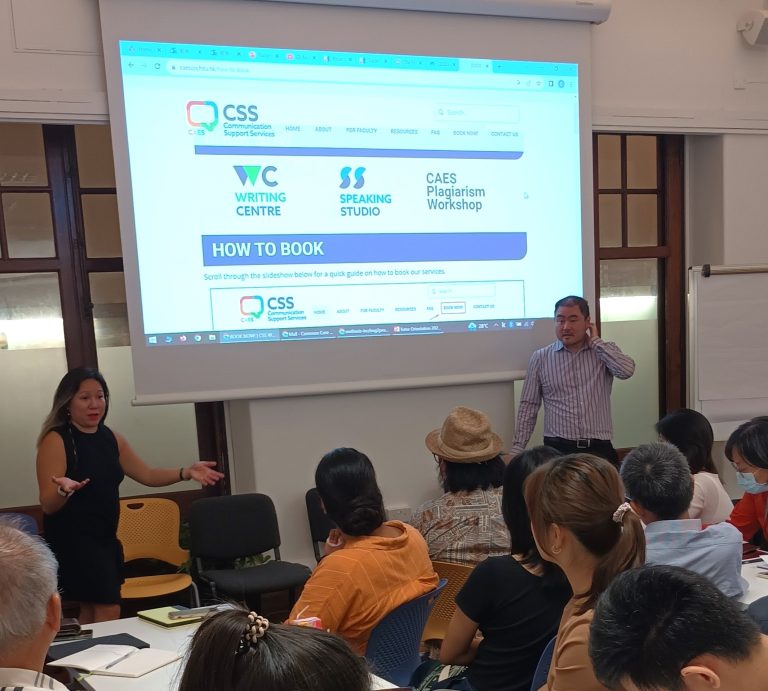
To support students with assessments, Communication Support Services (CSS) by the Centre for Applied English Studies (CAES) provides trained peer consultants and professional communication advisors for one-on-one consultation on written and oral assignments. The service is free of charge to all HKU students.
Teachers are highly encouraged to inform students of this service early in the semester and post the information on Moodle.
Student evaluation and feedback
Formal evaluation: Students will have an opportunity to formally evaluate and give feedback to the tutors on their teaching performance close to the end of the semester through the Student Feedback of Teaching and Learning (SFTL). Tutors may wish to allocate 5-10 minutes during a tutorial session for students to complete the SFTL survey.
Informal evaluation: Regularly “check-in” on your students to understand their issues, concerns, moods, and expectations. This way, you can make changes to your course along the way. Tutors are encouraged to provide alternative and informal ways for students to provide feedback prior to the SFTL. For example, anonymous feedback forms via Moodle or “exit tickets” during tutorials.
Formative feedback: Create an anonymous feedback form (survey) on Moodle to informally gather feedback from students.
Tips on Continuous Evaluation of Online Course: Various ways of gathering student feedback during class.
Tutorial Administration
tutorial sign-up system (technical setup)
Moodle is your friend
Moodle administration is important in creating an effective learning environment and can you save you time. Posting information on Moodle can provide clarity and structure for students around workload expectations, assessments, and channels for seeking support.
- Course syllabus or outline
- How to register for tutorials
- Lecture and tutorial class times
- Notes and links for lectures or tutorials
- Consultation details
- Assignment instructions and rubrics/ marking criteria
- Required reading documents or links
- Assessments or assignment submission pages
- Policy on Generative AI Use
- Surveys to gather feedback
- Information on Communication Support Services (provided by CAES
- Frequently Asked Questions (FAQs)
Making the grades and feedback of all assessment components visible on the Moodle Gradebook is encouraged.
Communication is Critical
Regular communication with your students helps to establish trust and build rapport with your students. The “News/Announcements” function on Moodle is useful for sending messages to all the students in the course.
- A welcome message
- Tutorial registration reminder
- Assignment deadlines reminders
- Student Feedback of Teaching & Learning (SFTL) invitation
- Final message or congratulations for completing the course
Other Support
TALIC’s Community of Practice: A rich repository of teaching-related materials, which contains recorded videos, presentation slides, guides, and case studies for different teaching and learning needs.
Communication-Intensive Courses (CiC) Team: CiC helps to ensure that courses are effective in teaching written, oral, digital, and visual communication competencies to students. If you are facing challenges around assessment and course design, the CiC team can offer support on how redesigning assessments, writing grading rubrics, and suggestions for enhanced course activities.
Common Core Social Committee: An informal gathering for CC teachers and tutors to participate in events, share best practices, unload your burdens, and socialise and make friends.
Professional Development for Tutors
Common Core facilitates various professional development workshops throughout the year to enhance the quality of teaching and learning delivered by tutors. This effort is conducted in partnership and with the support of Faculty of Education, and the Teaching and Learning Innovation Centre (TALIC) and Communication-Intensive Courses team from the Centre for Applied English Studies (CAES).
CC tutor orientation and a foundations workshop is conducted at the beginning of every semester.
If you have any requests for specific workshops, please let us know.
Below is the list of the upcoming and past workshops:
Questions or Need Assistance?
If you have any questions, concerns, or would like share your tips, please contact Jack Tsao.